Dispatch
Wired Sensor Bridge (Castle Black) – 8 wired zones in Apple Home
What it is
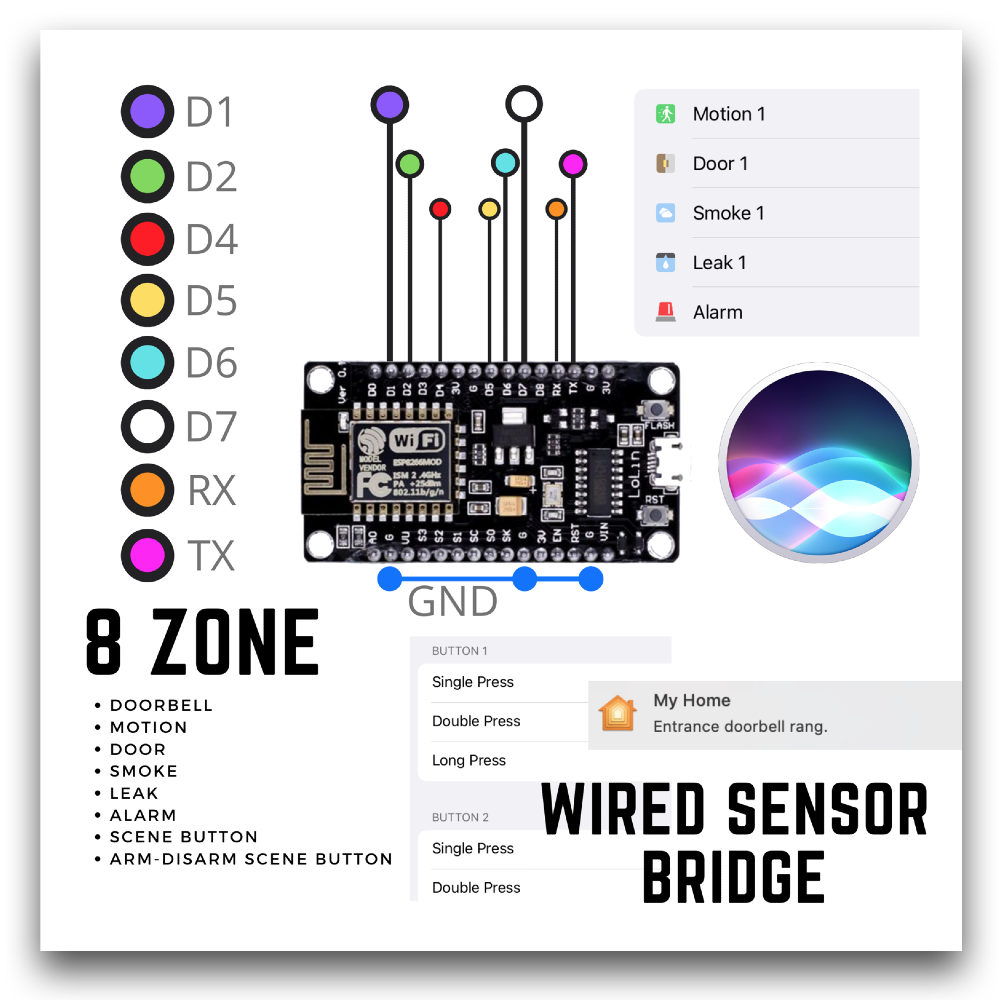
Wired Sensor Bridge is the firmware inside Castle Black, our wired alarm for Apple Home. It turns a NodeMCU ESP8266 board into a hub for your wired security sensors. It has 8 inputs, so you get 8 zones. You can wire several sensors of the same type to one input, for example all hallway motion sensors on Zone 1 and all door/window contacts on Zone 2.
Supported sensor types: motion, smoke/gas, water leak, door/window contact, doorbell, scene button and arm/disarm button.
When the alarm triggers, Apple Home automations can turn on the lights or a siren connected to a HomeKit switch.
What you need
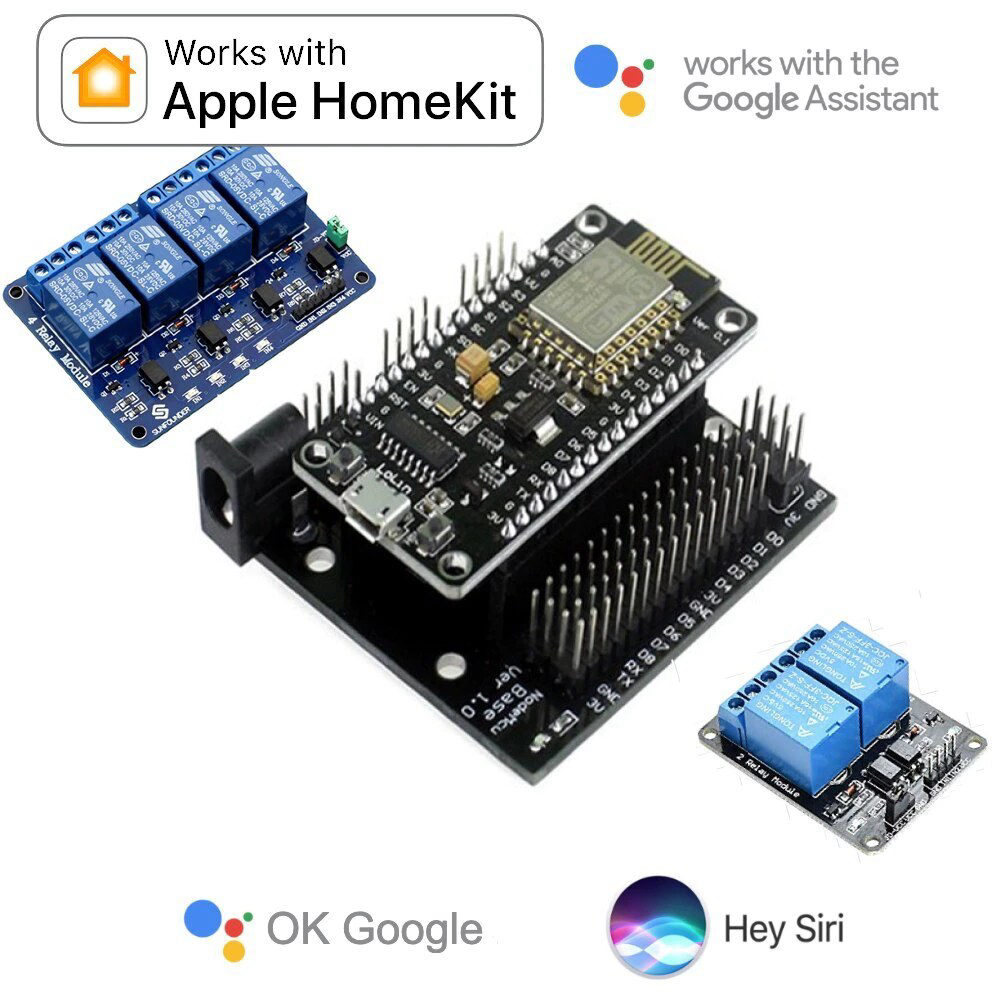
NodeMCU LoLin V3 (ESP8266) on a NodeMCU Base board. Full guide: Castle Black Wired Alarm.
Power: a 5 V 1 A USB charger, or 12 V 1 A through the base board's DC jack. For a power bank backup, power the board over USB.
Wired sensors with a dry contact output. Sensor input voltage: 3.6 V – 30 V DC.
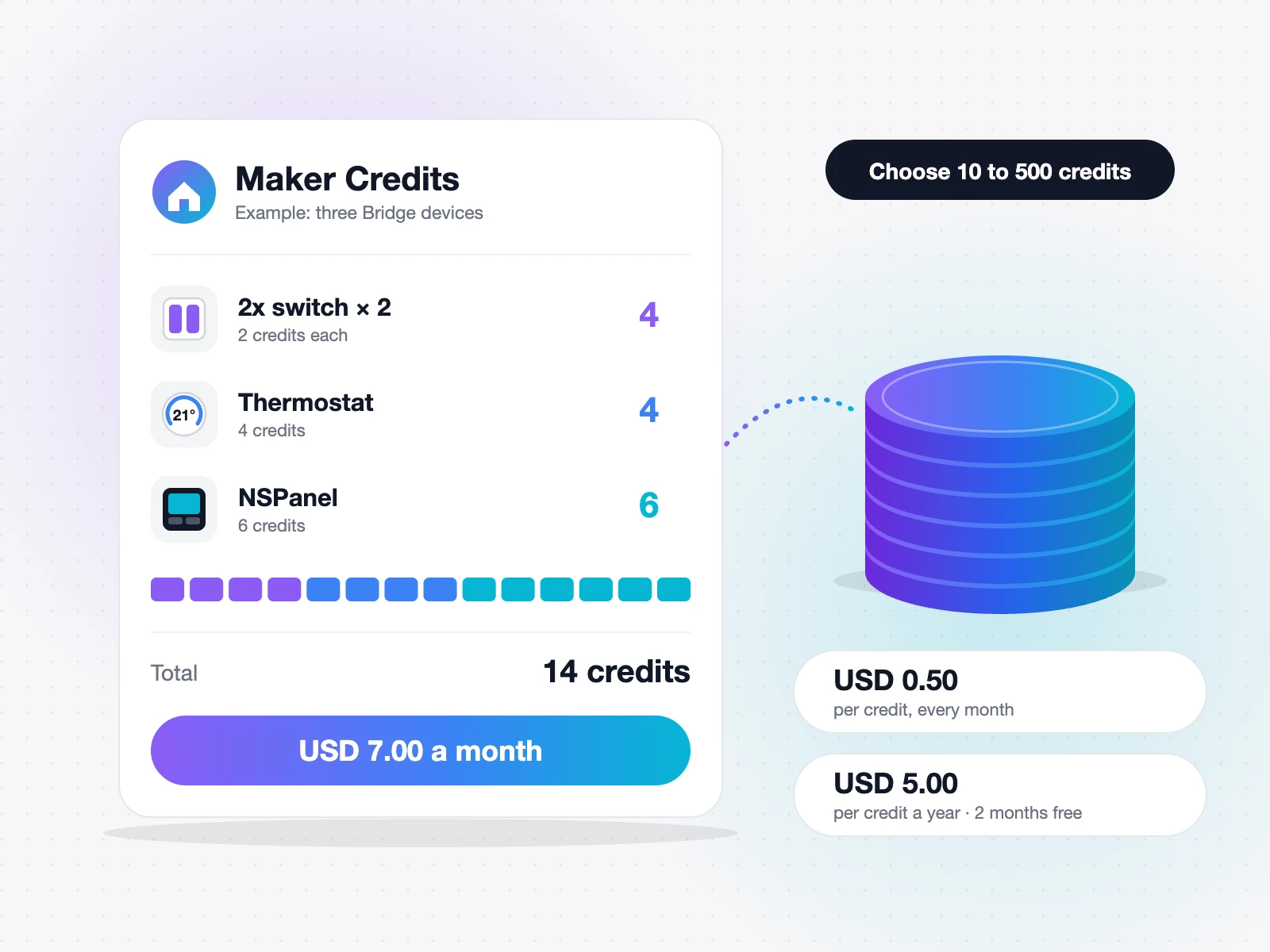
10 Maker Credits: Get Maker Credits.
No dry contact on your sensor? Use a small 5 V / 12 V / 24 V relay board: connect the sensor output to the relay, and take the trigger from the relay's NO or NC pin.
Which pin can take which sensor
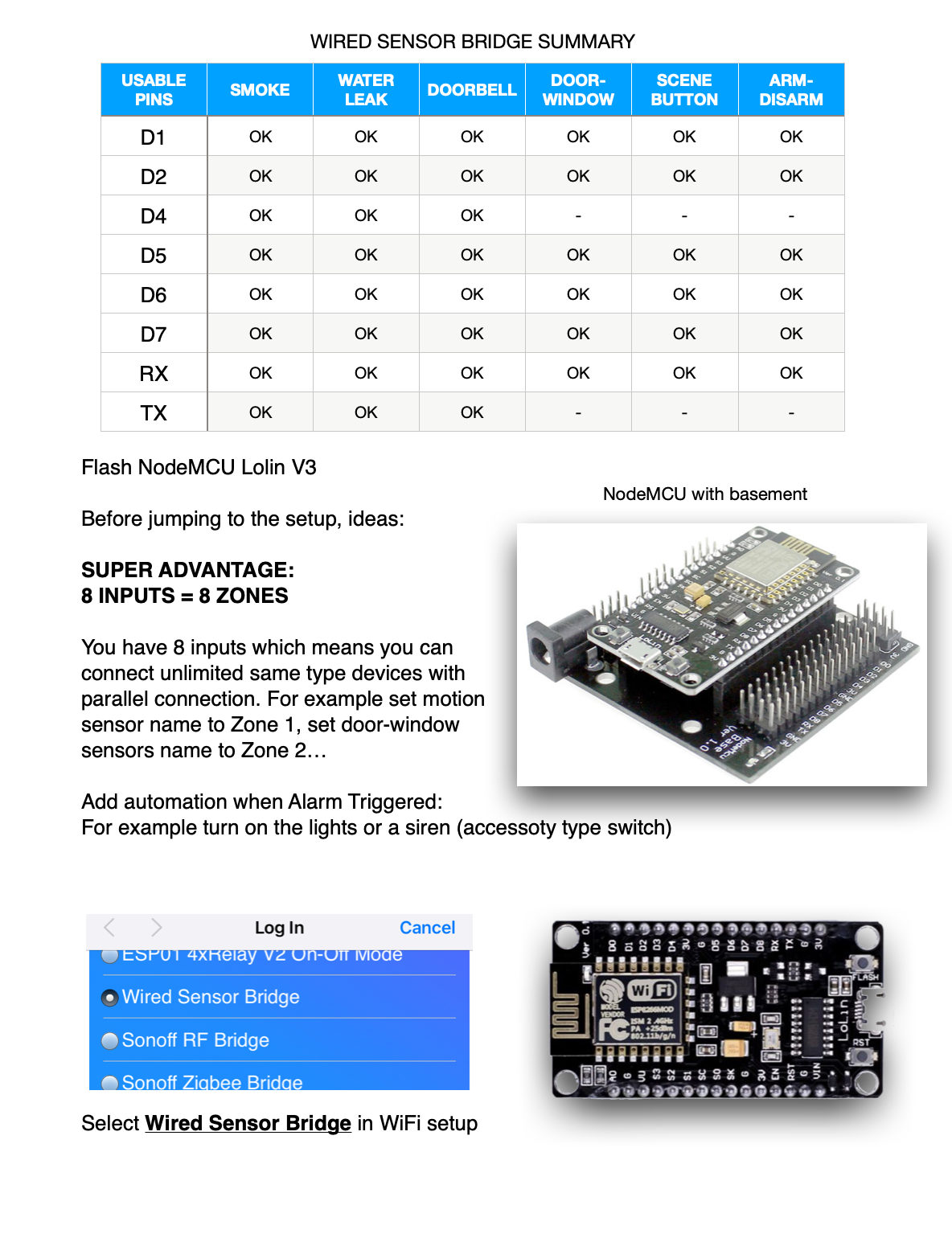
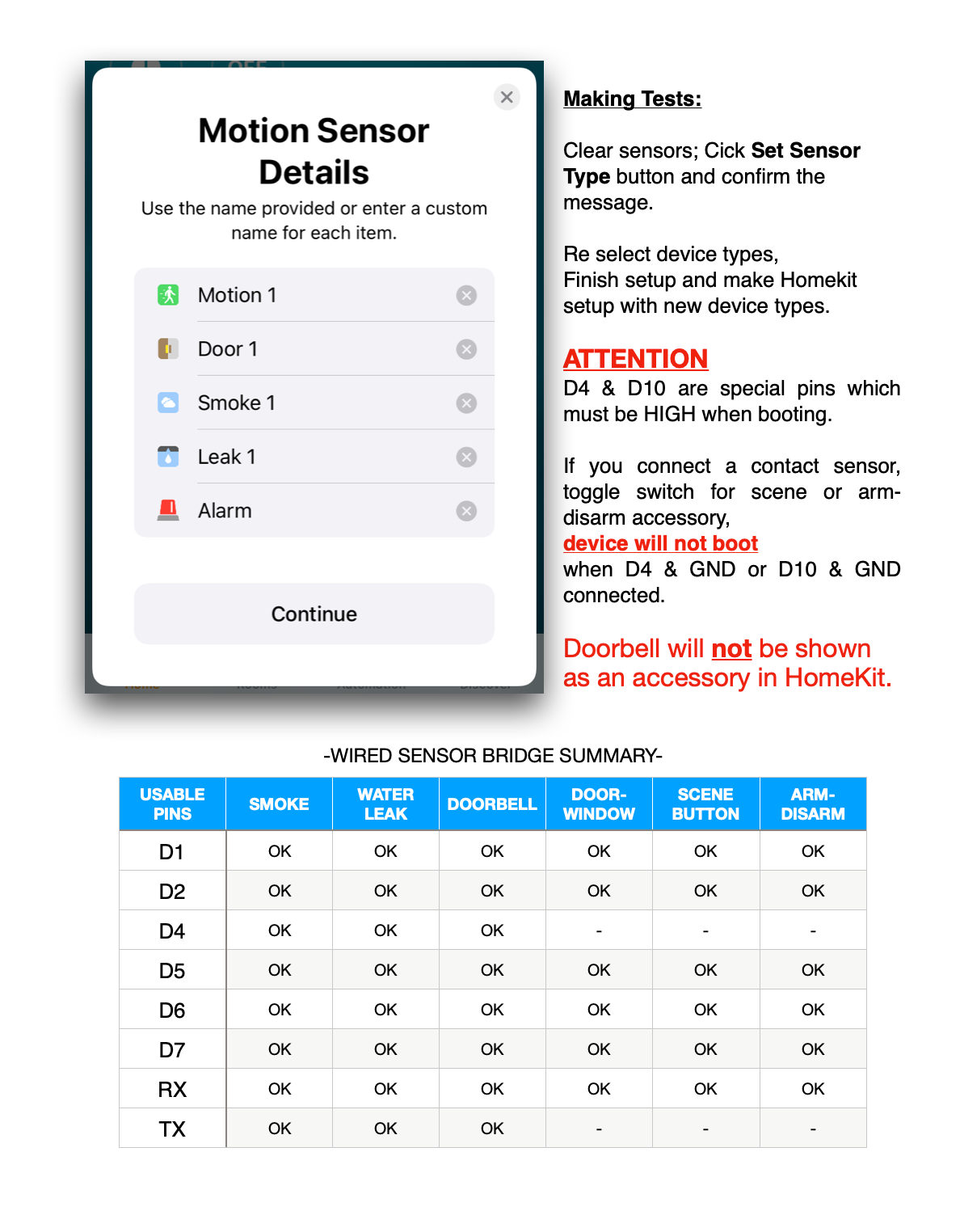
D1, D2, D5, D6, D7, RX – all sensor types: motion, smoke / leak, doorbell, door / window, scene button, arm / disarm.
D4, TX – only motion, smoke / leak and doorbell (no door / window, scene button or arm / disarm).
D0, D3, D8 – never use.
Important: D4 and TX must be free (HIGH) when the board starts. A door/window contact, a toggle wall switch or an arm/disarm switch can hold them on GND, and then the board will not boot. Use D4 and TX only for momentary sensors such as doorbells or smoke alarms.
Setup in 3 steps
Do the setup on your desk first, then install.
1. Wi-Fi setup
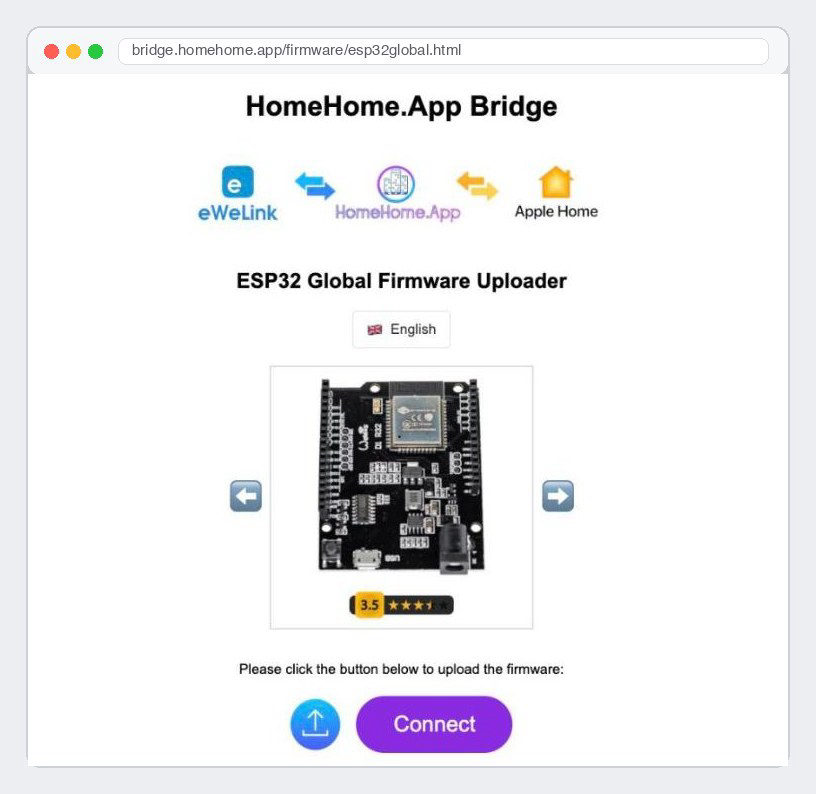
Flash the board with Chrome or Edge over USB: ESP8266 flasher.
Power the board. It opens a Wi-Fi network called HomeHome-XXXXXX (password: homehome). The setup page opens by itself; if not, reconnect to that network.
Device type: Wired Sensor Bridge. Switch type: Momentary.
Enter your Gmail address – you will use it to log in to the sensor setup page.
Optional: set a static IP now (or reserve one in your router).
Pick your home Wi-Fi and type its password carefully.
2. Sensor setup
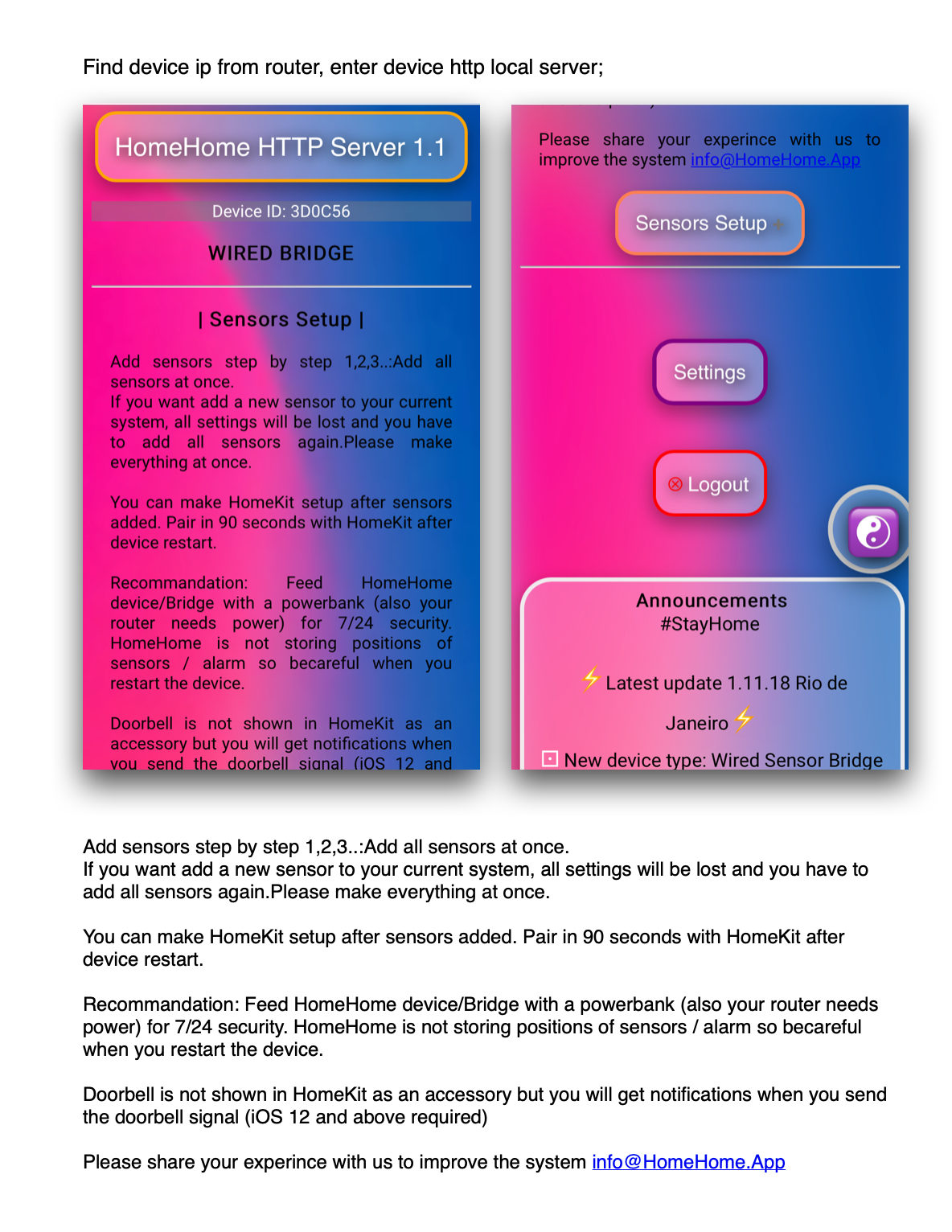
Find the board's IP address in your router's device (DHCP) list and open it in a browser.
Log in with the same full Gmail address.
Open Sensors Setup and add all sensors at once, one by one (1, 2, 3 …). If you add a sensor later, all sensor settings are cleared and you set them all again.
A sensor reads the wrong way round? Turn on the reversed pin option for it – no rewiring needed.
3. Apple Home
After the board restarts, pair it with Apple Home within 90 seconds, using the code 111-88-111. "Setup code incorrect"? Power the board off and on, and try again within 90 seconds.
Rules
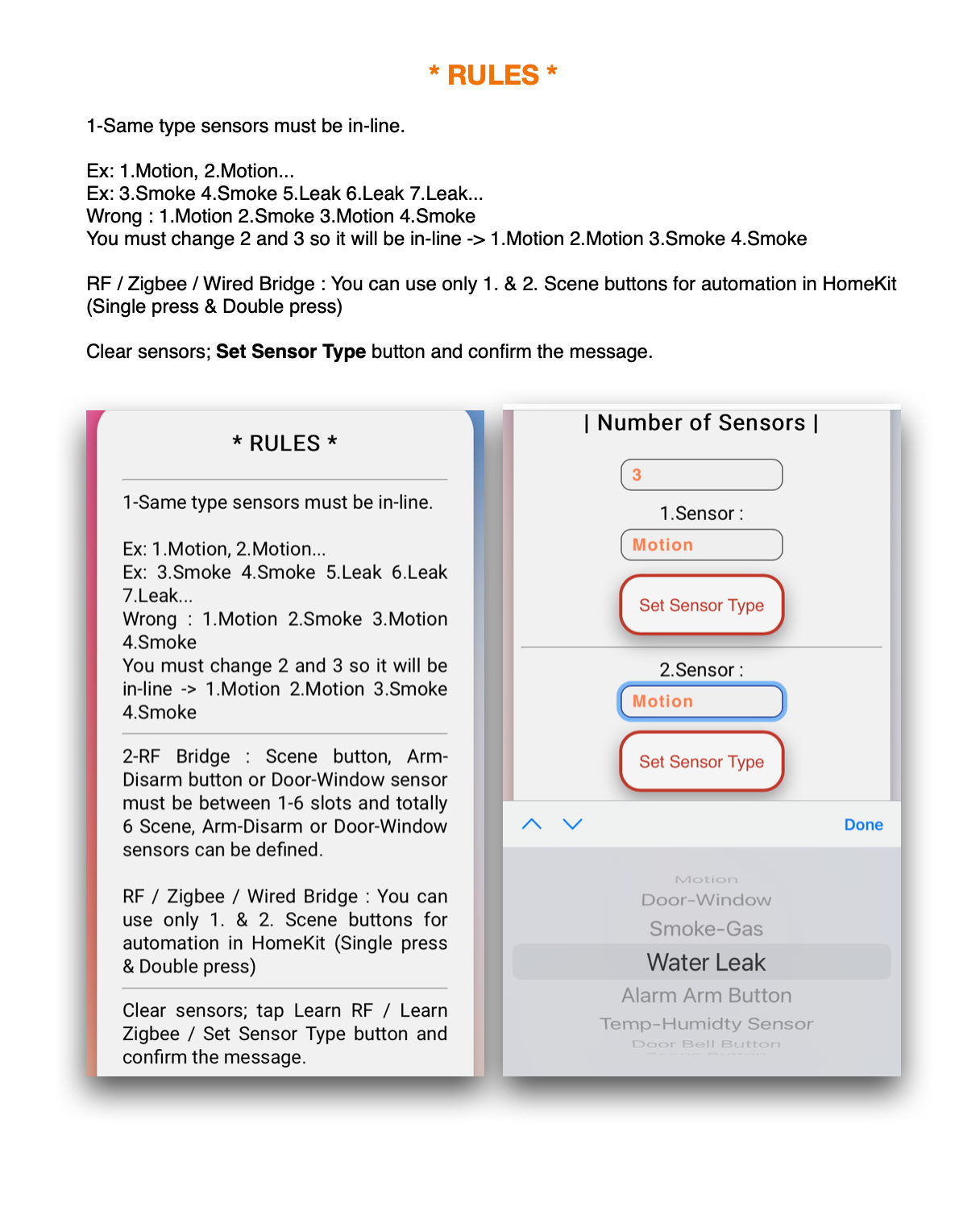
Sensors of the same type must be next to each other in the list. Right: 1 Motion, 2 Motion, 3 Smoke, 4 Smoke. Wrong: 1 Motion, 2 Smoke, 3 Motion, 4 Smoke.
Only scene buttons 1 and 2 can start Apple Home automations (single and double press).
If you use scene buttons, do not add an arm/disarm button. Make an arm/disarm automation on a scene button instead.
To start again: Set Sensor Type → confirm. This clears all sensors.
Good to know
The doorbell does not show as an accessory in Apple Home, but you get a notification when it rings (iOS 12 or later).
Keep the board and your router on a power bank or UPS for 24/7 security. The board does not store the alarm state or sensor positions, so be careful when you restart it.
After a power cut the board can trigger sensors and send notifications. You can change this with the reversed pin options on the sensor setup page.
Test before you rely on it: open each sensor and check the change in Apple Home.
Help
Questions? WhatsApp +44 7367 846094 – call or send a message. Email info@homehome.app.
More to read
Keep reading. The bench is still warm.
More notes on flashing, wiring and what we learned the slow way.
Firmware downloads
Wired Sensor Bridge (Castle Black) – 8 wired zones in Apple Home
On the desk
Your board is waiting for its firmware.
Pick one, plug in over USB, and try it tonight.

Maker Credit – Yearly
Maker Credit – Monthly
Read it
Flash it
Try it
Keep it local